
Browsers now run quicker in 2026, pushing test automation ahead through smarter engines. Tool improvements pop up everywhere, yet some teams still stick to older open-source setups. Newer systems rely on AI hints alongside simpler coding methods instead. Enterprise options hold their ground but face fresh competition. Reliability climbs when scripts break less often. Maintenance drains less time thanks to these shifts. Scaling tests feels smoother than before. Effectiveness grows without needing extra hands.
Open source tools require you to have knowledge of some level of web development, programming languages, and be tech savvy to install and set up the framework. Meanwhile, enterprise tools require less or no coding. However, all of them are Windows based standalone platforms with very complex UI, which requires additional training for users.
Let’s look at some test automation tools for automated testing.
testRigor
testRigor is an increasingly popular new cloud-based end-to-end testing system. It allows you to build tests from the end-user’s point of view avoiding using selectors/locators. It doesn’t require any installation, infrastructure setup or coding knowledge. It uses plain English, so writing test steps is as intuitive as writing any statement. The main advantage of testRigor is easy test maintenance. It groups failures automatically and provides steps to reproduce. Also, it can generate tests based on how your end users are using your application.
Key Features
- Cross-browser and cross-platform web testing (real devices & real browsers)
- Plain English no-code test case creation with generative AI/NLP assistance
- Chrome extension and browser recorder
- Self-healing tests and automatic locator correction
- Parallel and scheduled test execution
- CI/CD integration (Jenkins, GitHub Actions, Azure DevOps, etc.)
- Data-driven testing, global variables, and reusable rule libraries
- Supports 2FA, Captcha, email, SMS, API workflows, AI features like LLMs and chatbots, and ERP applications like Salesforce
Code Sample
click "Login"
enter stored value "user_email" into "Email" // we use value of "user_email" from Test Data page
enter stored value "password" into "Password" // we use value of "password" from Test Data page
click "Submit"
check if page contains "Welcome Peter"
Price
- Free public plan with limited capabilities
- Various enterprise plans are available with various other capabilities
Prerequisites
- No prior coding or technical experience
- Understanding of basic testing
Pros
- Fast and easy setup, and start using without any installation or downloads
- Test case creation is 15 times faster than writing Selenium tests
- Adapting new functionality is as easy as find and replace; testRigor’s quote “99.5% less test case maintenance time”
- Runs tests in parallel
- Cross mobile and web workflows
- Easy to create modular functions
- Integration with Jira, TestRail, Azure DevOps, Twilio, Zephyr, etc.
- Unlimited number of test cases and test runs
- True no-code automation with natural language reduces expert overhead
- AI-powered self-healing makes maintenance far easier than traditional frameworks
- Supports web, mobile, and API workflows in the same suite
- Extensive integrations with test management and DevOps tools
Cons
- Execution queuing may occur unless premium infrastructure is provisioned
- Recorder outputs may still need review or refining for edge cases
- Less flexible for very complex custom automation logic compared to coded frameworks
Testim
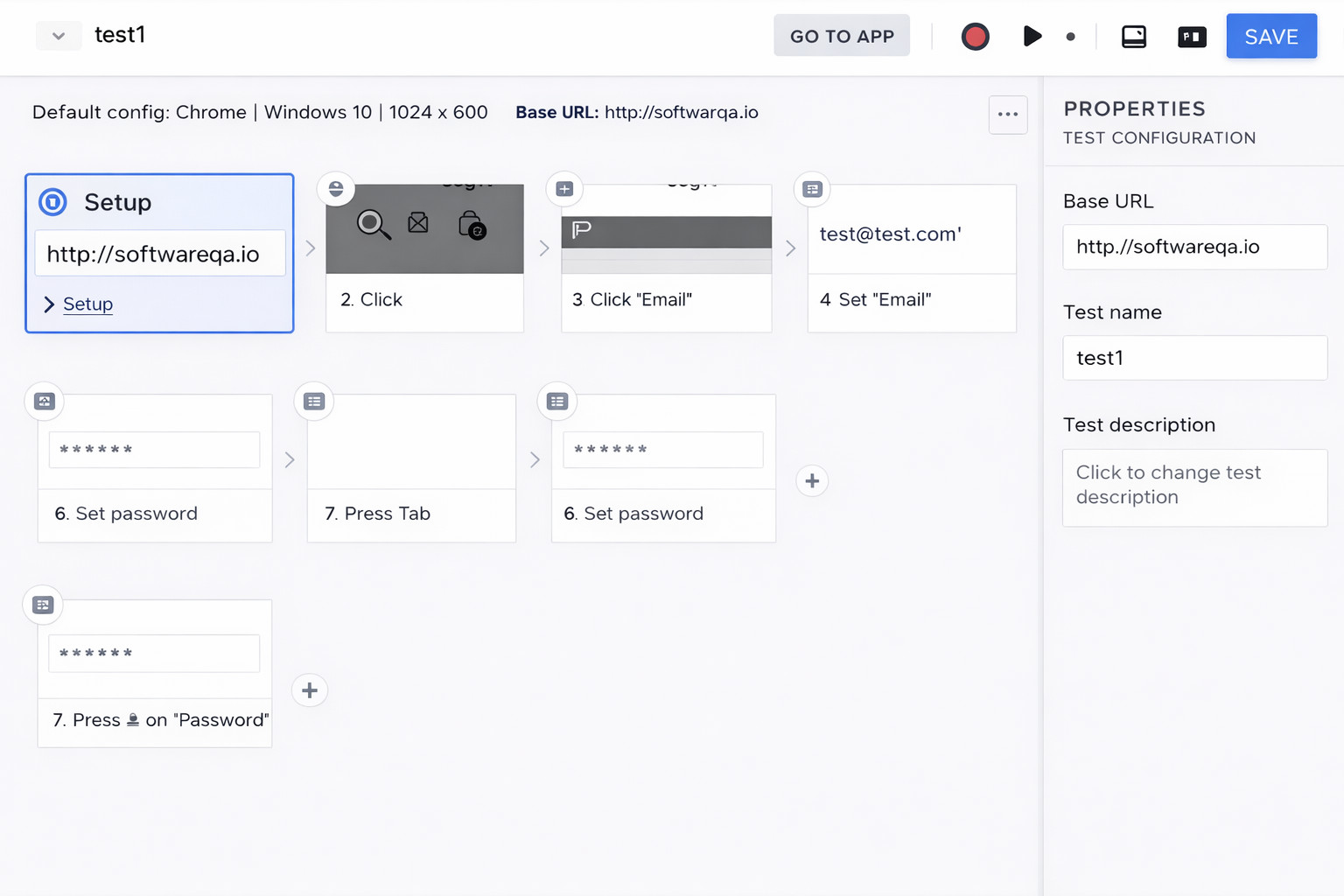
Testim.io is an end-to-end Agile software testing tool augmented with AI features. The AI allows you to speed up automation of web-based applications. This web-based platform allows teams to create good software quality practices while creating test suites. Testim allows for “smart locators,” which solve the problem of rigid element identification within HTML code.
Key Features
- Smart Locators – assist in identifying the best locators
- To create tests, users can use a codeless visual editor or edit code in a JavaScript IDE
- Testim Copilot is a generative AI assistant that allows you to describe a complex test step in plain English, and it writes the JavaScript code for you
- Ability to export any tests into JS code
- AI-driven selector optimization in smart locators
- Self-sufficient test upkeep and repair
- Integrated support for CI/CD pipelines, parallel execution, and visual testing
- Integrations with Jira, Applitools, BrowserStack, and additional ecosystem tools
- Offers a TestOps management layer, which identifies “flaky” or “slow” tests and suggests which ones should be retired or refactored to keep the suite healthy
Price
- Free community plan, but it has its limitations
- Enterprise plans available
Prerequisites
- No prior coding or technical experience
- Understanding of basic testing
Pros
- Web browser support
- Available integrations: CI/CD, Jenkins, Jira, Slack, Applitools, Browserstack, etc.
- Run tests in parallel
- Infrastructure hosted in the cloud
- Minimal setup, no installation needed
- AI-based test maintenance saves time and minimizes flakiness
- Simple onboarding for non-technical users
- A strong cloud execution and integration ecosystem
- Accelerates feedback loops by running tests concurrently
Cons
- For extremely complex logic, a codeless recorder might still not scale well
- A few cutting-edge features are associated with premium price points
WebDriverIO(JS)
WebDriverIO is a custom extension of Selenium’s WebDriver, written in JavaScript, and requires Node.js to run. However, the tool has grown to support multiple protocols now. A testrunner client is included, which has the ability to create and execute both web and mobile test automation. WebDriverIO is an operating system and language-neutral tool that allows introspection and control of user interfaces. With WebDriverIO, the tester can accomplish more with fewer lines of code than they could in Selenium.
Key Features
- Extendable helper functions
- Integrates with native browser tools such as Chrome Devtools and Google Lighthouse
- Integrated testrunner
- automates the execution of web and mobile tests using Appium
- WDIO CLI allows for flexible setup and supports Cucumber, Mocha, and Jasmine
- Connects to Lighthouse and Chrome DevTools for performance analysis
- An extensive ecosystem of plugins for services, cross-browser integration, and reporting
- Integrated test runner with support for parallel execution
Code Sample
import loginPage    from '../pageobjects/login.page';
import landingPage  from '../pageobjects/landing.page';
import assert       from 'assert';

/*
This is a BDD test using Mocha JavaScript framework
*/

describe('Test for login page', function() {
  it('should allow user to login ', function () {
    loginPage.open();     // navigating to login page
    loginPage.login('Peter', 'SuperSecretPassword!');    // entering user name, password and and submitting the page
  });

  it('should validate the message after login ', function () {
    assert.equal(landingPage.getMessage(), "Welcome Peter");
  });
});
Prerequisites
- Knowledge of JavaScript, Mocha/Jasmine, XPath, CSS
Pros
- Browser and native mobile support
- A large variety of community plugins is available
- Third-party integrations make debugging easier
- Wide-ranging JavaScript ecosystem and plugin accessibility
- Supports CI/CD workflows and modular test design
- Excellent for groups that favor JS/Node workflows
- Able to interface with cloud services such as BrowserStack or Sauce Labs
Cons
- Slower than some other testing tools and frameworks
- As most open source frameworks it requires deep knowledge of coding and web development
Cypress JS
A front-end browser testing framework that can test anything that runs in a web browser. Their mission is to create an enjoyable experience that generates developer happiness while championing test practices that actually work. Cypress is a technical testing framework where the typical users are developers and QA engineers building web apps with JavaScript frameworks. This system uses Domain Specific Language for end-to-end tests.
Key Features
- Testrunner interface
- Snapshots as your tests run
- Waits for your commands to run without adding explicit waits and sleeps
- Integrates with developer tools
- Unit test functionality of spies, stubs, and clocks available
- Network Traffic Control emulation
- UI for real-time test execution and automatic waiting
- Tools for debugging, network control, and snapshot timeline
- Support for multiple browsers (Chrome, Firefox, Edge)
- A unified approach to API, UI, and component testing
- Dashboard analytics and cloud parallelization
- The Cypress Cloud Test Replay allows you to “time-travel” through a failed CI run with full access to the browser’s DevTools, as if the failure happened locally
Code Sample
describe('Test for login page', function() {
    it('should allow user to login', function() {
      cy.visit('/') // open page
      cy.get('#username').type('peter') // enter username
      cy.get('#password').type('supersecretpassword') // enter password
      cy.get('#submitButton').click()
      cy.title().should('include','Welcome Peter') // assert page title
    })
})
Prerequisites
- Knowledge of JavaScript, Mocha/Jasmine, CSS, and Cypress-specific selection strategies (like
cy.contains)
Pros
- Tests are more stable and way faster than with Selenium
- Handles waiting automatically, reducing flakiness
- Native access and operates within the application
- Useful for both UI and component testing
- No explicit, implicit waits in tests. Cypress handles wait elements automatically
- Ability to send HTTP calls directly
- Great documentation and growing community support
Cons
- Some advanced browser features, like multi-tab still challenging
- Supports only Chrome, Firefox, and Edge
- Only supports JS/TS environments
- Tests run inside the browser and support only JavaScript
Robot Framework
Initially developed by Nokia Networks and open-sourced in 2008, Robot Framework is a generic Python automation framework used for acceptance test-driven development. The unique foundation allows for multiple test case styles, spanning from behaviour-driven to data-driven test cases. This system has robust features such as human-readable keywords, variables, test tagging, and integration with external third-party libraries. The system provides the Robot Framework Development Environment(RIDE) editor as a download, or you can use any text editor. Test results are provided in the form of XML or HTML reports and logs.
Key Features
- Keyword-driven automation with an extensive library ecosystem
- OS-agnostic with HTML/XML reports and log output
- Test tagging of test cases
- Can integrate with Selenium, Appium, Playwright, and other tools
Code Sample
*** Settings ***
Library           SeleniumLibrary

*** Variables ***
${SERVER}         localhost:7272
${BROWSER}        Firefox
${DELAY}          0
${VALID USER}     demo
${VALID PASSWORD}    mode
${LOGIN URL}      http://${SERVER}/
${WELCOME URL}    http://${SERVER}/welcome.html
${ERROR URL}      http://${SERVER}/error.html

*** Keywords ***
Open Browser To Login Page
    Open Browser    ${LOGIN URL}    ${BROWSER}
    Maximize Browser Window
    Set Selenium Speed    ${DELAY}
    Login Page Should Be Open

Login Page Should Be Open
    Title Should Be    Login Page

Go To Login Page
    Go To    ${LOGIN URL}
    Login Page Should Be Open

Input Username
    [Arguments]    ${username}
    Input Text    username_field    ${username}

Input Password
    [Arguments]    ${password}
    Input Text    password_field    ${password}

Submit Credentials
    Click Button    login_button

Welcome Page Should Be Open
    Location Should Be    ${WELCOME URL}
    Title Should Be    Welcome Page
Prerequisites
- No requirements to start using this framework. However, Python knowledge will help to write complex tests
Pros
- Human-readable keywords, easy to start writing tests without coding knowledge
- Capabilities can be extended with Python and Java libraries
- Besides Selenium, it supports numerous libraries
- Compatible with any operating system
- In comparison to other frameworks, it has the shortest learning curve
- Great for hybrid test teams (QA + Dev)
- Broad tool integration flexibility
Cons
- Challenging maintenance of the tests and the framework
- Parallel browser execution requires additional setup
- Slower compared to other open source frameworks
- Larger test suites can get slower without optimization
Selenide
Selenide is a browser testing framework that acts as a wrapper library around Selenium WebDriver. It allows for short, succinct code lines in an easy, readable format. It features the Selenide WebDriver manager, which controls the varied web drivers required by Selenium for cross-browser testing (Chrome, Edge, Firefox, … ). Additionally, it allows testers to create free tests using open-source tools.
Key Features
- Simplifies Selenium-based testing
- Selenide API inspired by jQuery – working with locators similar to jQuery
- Simple Java DSL for browser automation
- Automatic waiting for elements and AJAX events
- Automatic screenshots and enhanced logging
- WebDriver Manager integration and Selenium Manager utilization for automatic driver downloads
@Test public void Login() { open("/login"); $(By.name("user.name")).sendKeys("peter"); $(By.name("password")).sendKeys("password"); $("#submitButton").click(); $("#username").shouldHave(text("Welcome Peter")); } - Automatic handling of most problems with Ajax, waiting and timeouts
@Test
public void pageWithAjax() {
  $("#username").shouldBe(visible);   // waits until elements appears
  $("#username").shouldHave(text("Hello, Peter!")); // waits until elements gets text "Hello, Peter!"
  $("#login-button").shouldHave(cssClass("green-button")); // waits until button gets green
  $("#login-button").shouldBe(disabled); // waits until button gets disabled
  $(".error").shouldNotBe(visible);  // waits until element disappears
  $(".error").should(disappear);     // try to the same with a standard Selenium WebDriver!
}
Prerequisites
- Basic knowledge of Java, XPath, CSS, TestNG, or any other testing frameworks
- You need Java and a build tool like Maven or Gradle
Pros
- Allows tests to be created with fewer commands than Selenium. Easier and simpler syntax compared to Selenium
- Selenide offers less code setup than Selenium
- Selenide WebDriverManager automatically downloads the latest webdriver for you
- Handles wait and timeout logic for more stable tests
- Good for teams already in the Java ecosystem
Cons
- Language support only for Java family languages
- Lacks some of the modern testing features found in newer tools
Ranorex
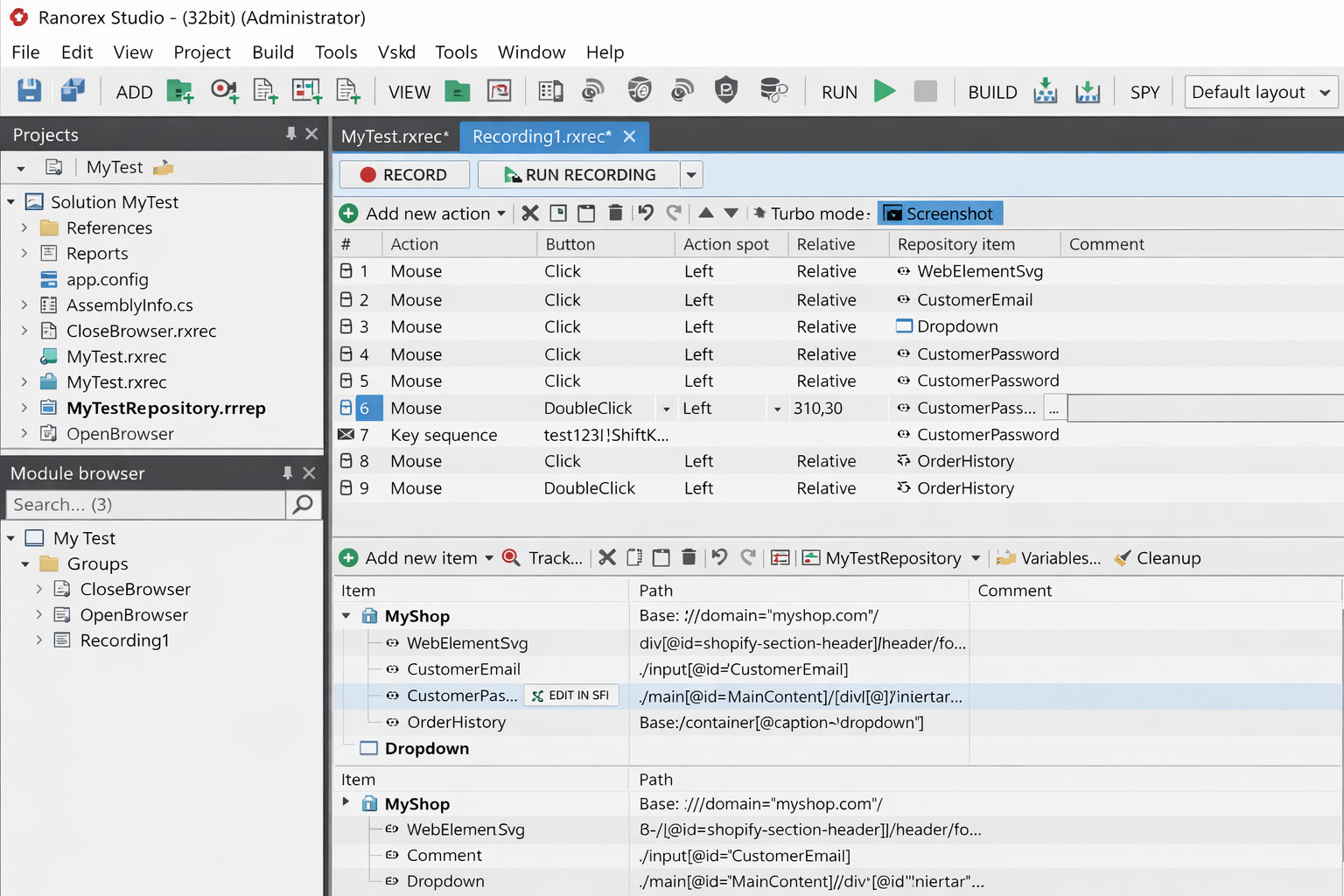
A Microsoft Windows-based testing tool that allows you to create multiple test suites for different platform types. Ranorex is an installable .NET tool that can create automated tests for hard-to-test desktop clients and browser-based apps. In addition, there is support for testing mobile endpoints and native applications on real iOS and Android devices. You are able to create data-driven tests and regression test suites using both keywords and code. Selenium is built into the system, which allows you to run legacy tests you may have from Selenium.
Key Features
- Keyword-driven testing
- Studio IDE
- Capture-and-replay plus codeless options and scripting in C#
- Execute tests on desktop, web, mobile endpoints, and native iOS, Android testing on real devices
- Detailed reporting capabilities
- DesignWise, their AI-powered test case optimization integration, helps eliminate redundant test cases before they are even automated
- Ranorex Spy, their object recognition tool, is very powerful and uses AI to identify deep-nested elements in WPF, Delphi, or Qt applications
Prerequisites
- Basic training requires without coding
Cost
- Enterprise plans are available
- Free trials are also available
Pros
- Selenium WebDriver is built into the studio
- The RanoreXPath technology is significantly more stable for desktop apps than open-source alternatives
- Fits for Windows desktop application testing
- Good training and support
- Good for teams needing mixed UI automation, where manual testers use the “Action Editor” (no-code), and devs use the “C# API
- Keyword-driven + scripted approach
- Works across multiple platforms
Cons
- Supports only C# and VB.NET
- Requires software framework installation
- You cannot install Ranorex Studio on macOS or Linux. You can test web/mobile apps from Windows, but the IDE itself requires a Windows environment
- Requires training for full productivity
- Compared to lightweight tools, Ranorex is a heavy .NET application that requires significant RAM and CPU
- It remains one of the more expensive tools on the market, putting it out of reach for most small startups
Tricentis Tosca
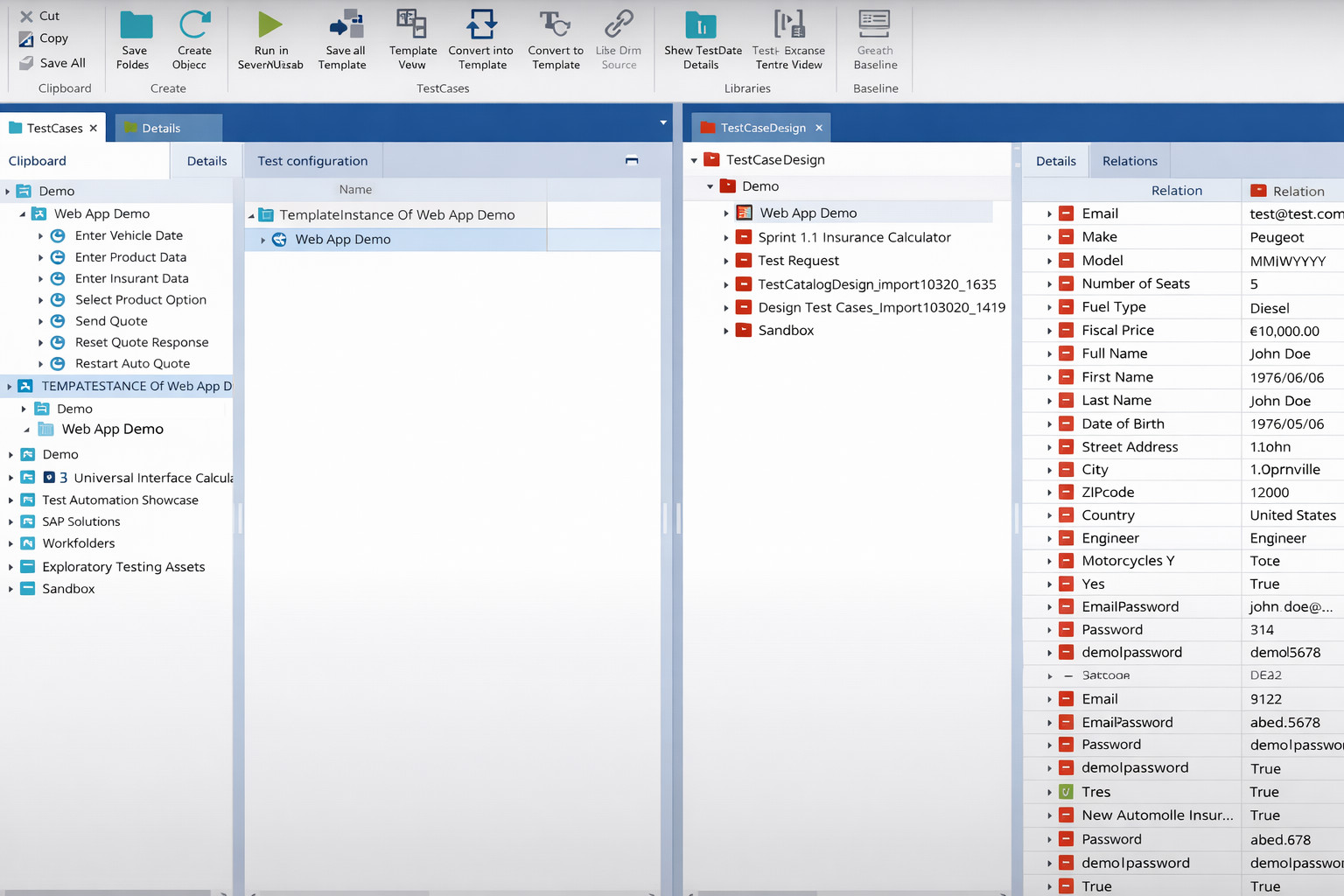
Tricentis is an AI-driven testing platform that allows for end-to-end continuous testing. They provide a fully automated system that encompasses the entire lifecycle of testing and works with both enterprise and small cloud-based apps. Additionally, they offer a suite of tools that range from test automation to test management. Tricentis Tosca currently boasts many Fortune 500 companies as customers.
Key Features
- Uses model-based testing to separate the technical layer (modules) from the logical layer (test cases)
- Codeless automation for web, API, and enterprise apps
- QA consulting services
- Uses vision AI to see the UI like a human, allowing for testing based on design mockups (Figma) before code is even written
- Service virtualization and risk-based testing
- Model-based test automation with AI-assistance
- Enterprise analytics and dashboarding
- Supports testing of SAP, Salesforce, and large-scale ERP testing
Price
- Pricing is exclusively subscription-based (SaaS)
- Also offers module-based costing for introducing add-ons to plans
Prerequisites
- Basic training is required without coding
- A “Power User” still needs to understand Tosca Query Language (TQL) and Logic structures (loops, conditions) within the model
Pros
- Applicable to Agile groups and complex enterprise apps
- With Cloud Agents, you no longer need to manage heavy local VMs for every test run
- Accessible for QAs without coding knowledge
- Supports native app and browser testing
- Good for enterprise continuous testing practices
- Reduces coding requirements with high-level modeling
- Broad protocol support including SAP and mainframes
- Supports parallel testing
Cons
- Even though it is a codeless tool, there is a steep learning curve to use it
- Not the greatest API documentation
- Hard to reuse modules which leads to maintenance challenges
- Licensing and enterprise rollout costs can be high
- Windows support only, however, the Cloud version and Execution Agents now support Mac, Linux, and iOS/Android endpoints natively
OpenText Functional Testing
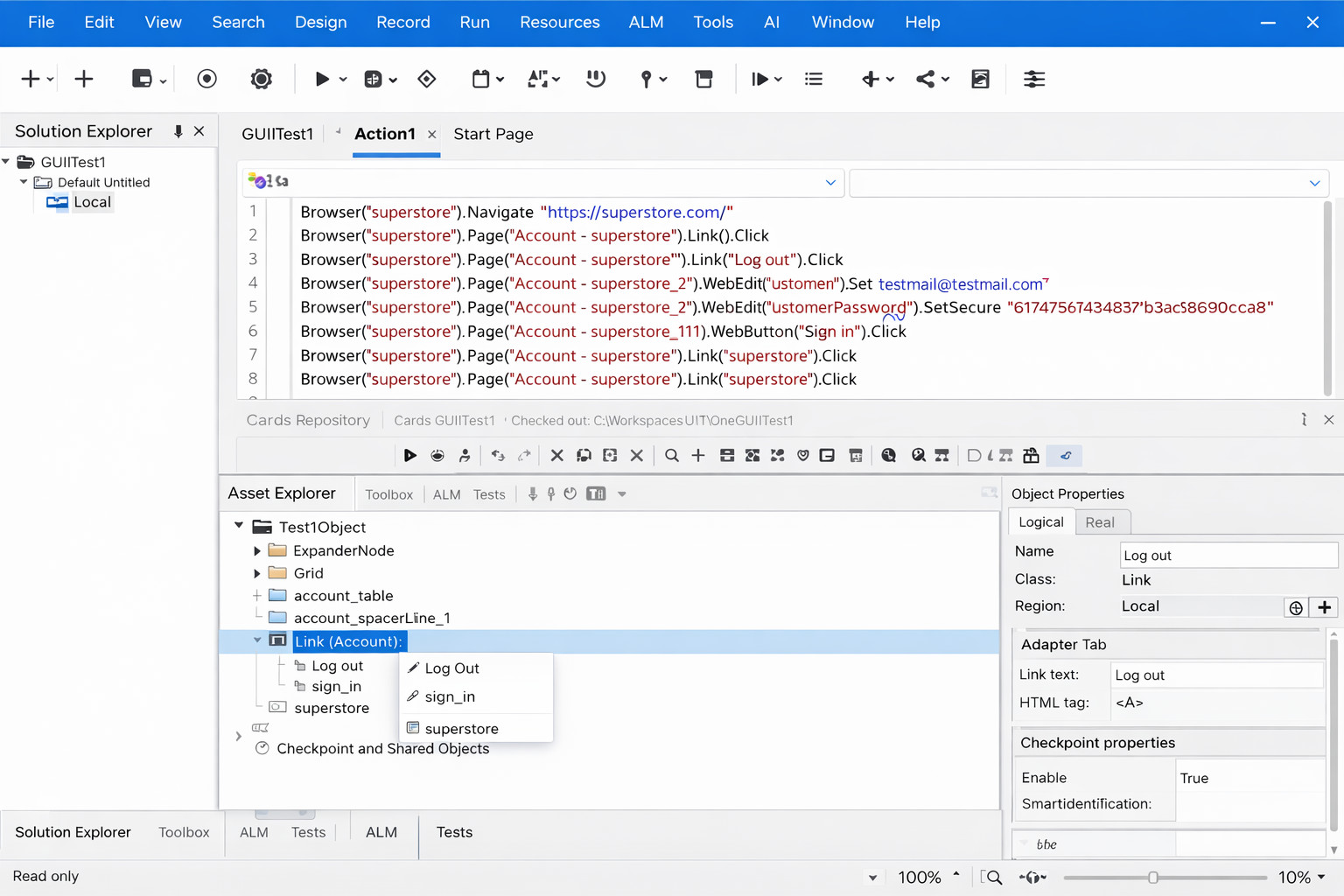
Formerly known as Unified Functional Testing (UFT), this tool is a functional and regression test automation tool for applications. UFT QAs and developers are able to test the UI, the service layer, and the database layer from a single console. UFT supports desktop, web, and mobile product testing and is geared toward creating automation scripts for a less experienced coder. Additionally, the tools are suited for continuous integration development.
Key Features
- Multi-layer test creation for UI, API, and services
- The OpenText DevOps Aviator, a generative AI assistant, helps users generate UFT scripts from natural language requirements
- It uses AI to identify objects on the screen visually, rather than relying on brittle XPaths or property strings
- Insight object recognition and GUI testing support
- Data-driven test creation and integration with ALM tools
Price
- Offers subscription models (monthly/term)
Prerequisites
- Basic training is required in scripting languages (VBScript or Python)
Pros
- Good fit for testing Windows desktop applications
- Tests are much more stable. If a developer changes a button’s ID, the AI recognition still finds it based on its visual “intent”
- Data-driven testing with Excel support
- Exception handling to continue running tests when unexpected failures occur
- Keyword view allows users to view test steps in a modular table format
- Mature enterprise tool with broad protocol support
- Good for mixed automation strategies. The Keyword View remains excellent for business analysts, while the Editor View (Python/VBScript) satisfies technical testers
- Visual test creation for less technical users
Cons
- Unable to run tests without a GUI test code IDE. There is no full-featured “web-only” version of the UFT editor
- Follows older development processes where testing happens at the end of the project
- Limited to VBScript for language support and runs only on Windows
- Performance issues with longer-running tests, it is still a very “heavy” Windows application
- Less community momentum than open-source alternatives
TestComplete(SmartBear)
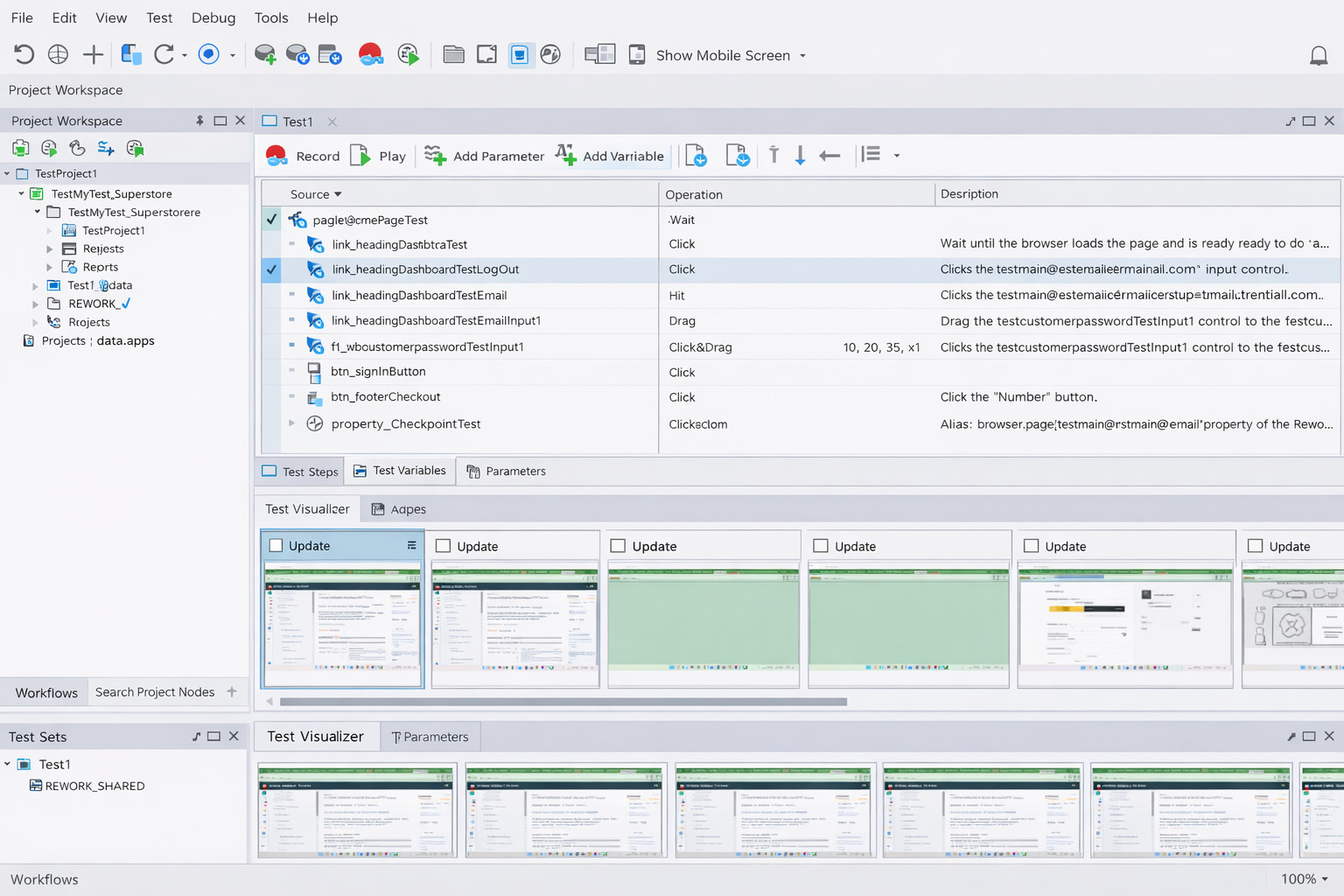
A Windows installable application that serves as the single tool for all UI test automation. TestComplete allows for multi-browser, native iOS, and Android testing. The test tool is created so that team members of different skill levels can use it effectively. TestComplete allows you to scale tests over multiple physical and cloud-based test systems. With the “Intelligent quality add-on,” you are able to detect and test application components that may not have been previously noticed.
Key Features
- Codeless test case creation
- AI-powered hybrid object-recognition engine. It offers a self-healing engine that adapts locators in real-time
- Automated test reporting and analysis
- Free training and support
- Test automation for BDD
- Service virtualization through integration with other SmartBear tools
Price
- They offer a tiered subscription model
Prerequisites
- Basic training is required without coding. However, knowledge of JavaScript or VBScript will help
Pros
- Multiple browser support
- Great for testing “hard-to-automate” desktop technologies (WPF, .NET, Java, legacy VB6)
- Tech support during business hours
- AI-based self-healing helps reduce test maintenance time dramatically
- Large product adoption with 5000+ customers
- Support for integration with third-party tools
Cons
- Complicated and outdated UI/UX
- It requires additional training to start using this tool
- Maintenance of test cases is pretty challenging
- Windows installable client only
- For API, load, or performance testing, you must purchase additional products
- It requires a robust machine to run smoothly, especially with the AI features enabled
Conclusion
For open-source tools, the main advantage is that they are all free. The main disadvantage is that they require technical and coding knowledge. For open-source tools, we chose Cypress and Robot Framework. Cypress is a better fit for Developers and QA Automation Engineers, while Robot Framework is for QA Engineers who want to start learning automation.
On the other hand, legacy enterprise tools are supposed to be easier to use. However, with complex user interfaces and requirements for coding knowledge, QA engineers still need to go through additional training. Besides, all of them run only on Windows machines, and they are a better fit for Windows application tools than web applications.
We would go with testRigor as the first choice and Testim as a second for web applications testing. Each offers a modern, intuitive, user-friendly interface, robust tests, and a free version. Most importantly, they both resolve the technical barrier to writing automated tests without diving into the coding, making these tools accessible to any team member and enabling anyone to get the job done by anyone.