
What word do you usually associate with test automation scripts? Is it “Fragile”?
If so, why do you address it that way? Does it break down when object properties or UI change? If your answer is “yes” again, it means the QA engineers must go back and fix the test scripts.
However, is it that easy? No. Test maintenance will take a long time when done manually, as they inspect the object to see the new property value or find new properties to use before changing the test script or object repository, and then testing it.
Issues arise when tests fail, causing delays in deployment.
So, what if you had a way to identify these imminent failures and proactively fix them?
There is a way to do this, and that is Self-healing Test Automation Tools.
| Key Takeaways: |
|---|
|
This article explores what self-healing test automation tools are, how they work, their benefits, limitations, and popular tools in the market.
What is Self-Healing in Test Automation?
Self-healing in test automation is the ability of automated test scripts to automatically detect changes in the application (specifically UI) and update themselves accordingly without human intervention.
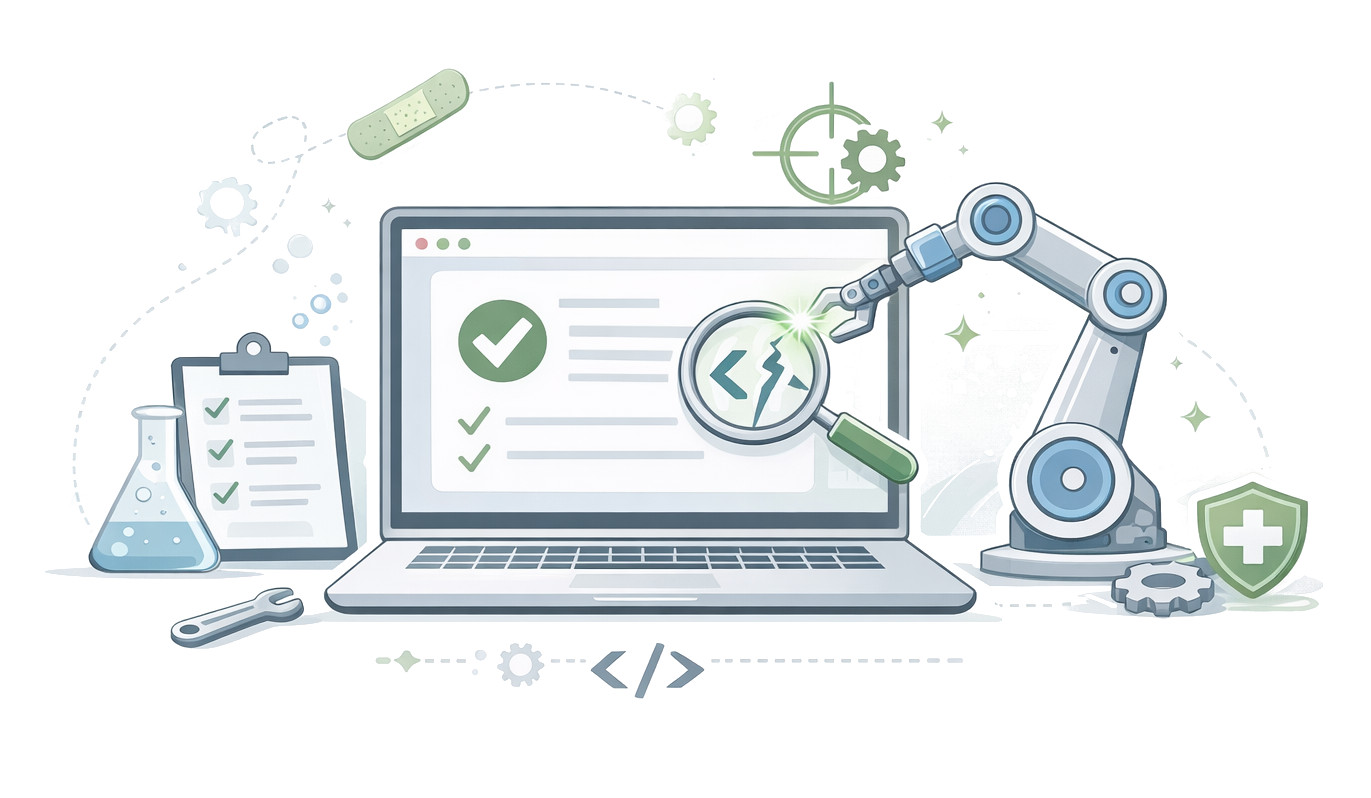
Traditional automated scripts relied on static locators (like XPath, CSS selectors, or IDs) for locating elements on a web page. When these locators change, the test breaks. This limitation made tests fragile. Self-healing automation tools are able to dynamically identify the elements using multiple attributes, historical data, and intelligent matching techniques. This is how they overcome the limitations of automated test scripts and remove fragility.
Self-healing test automation uses Artificial Intelligence (AI) and Machine Learning (ML) to automatically detect, diagnose, and fix broken test scripts without manual intervention. Self-healing test suites are more resilient to frequent UI or code changes, which are common in Agile and DevOps environments.
- Detect when a test fails due to UI changes
- Identify alternative ways to locate elements without using locators
- Automatically update the test script
- Continue execution without interruption
Software tests are automatically updated (after human review) whenever changes are made to app code or to the test environment.
This way, the test scripts are always in sync with the latest version of your app. The development cycle runs as planned, making it a smarter alternative to traditional testing.
Key Features of Self-Healing Tools
- Real-time Self-Healing: Broken locators are detected during execution and automatically fixed to prevent test failure. The test execution then continues without interruption.
- Visual Recognition: A few tools use visual AI to identify elements based on appearance rather than the DOM structure.
- Smart Wait Mechanisms: Dynamic waits adapt based on application performance.
- AI-powered Element Identification: Self-healing test automation tools use AI to analyze multiple UI properties (DOM, CSS, XPath, attributes, AI context) to identify elements.
- Minimal Human Intervention: Tools minimize human intervention.
- Integration with CI/CD Pipelines: These tools are designed to work with CI/CD pipelines. The tests don’t break the build due to minor changes.
- Robust Learning (ML-driven): The ML-driven system of self-healing tools learns from every test run and becomes more efficient at predicting and handling UI changes over time.
- Reduced Maintenance Effort: As broken scripts are fixed automatically, the tools eliminate the need for manual updates, and maintenance is reduced by almost 70-90%.
- Transparent Reporting & Feedback: Tools provide detailed reports on all changes and fixes, offering insights into the application’s stability.
Why Do We Need Self-Healing Automation?
- Fewer Failed Tests: Self-healing tests update themselves when there are changes, reducing the time spent on fixing failed tests. This avoids delays in app development and release.
- Avoids Object Flakiness: The QA team has little control over test flakiness resulting from errors like NoSuchElementException. They have a hard time determining how stable their test cases really are. Self-healing reduces the risk of failure as test designs get automatically updated for the app in question.
- Lower Costs of Maintenance: Unlike traditional testing that requires constant manual script updates, self-healing helps cut down on maintenance overheads and keeps your team focused on the critical tasks.
- Quicker Feedback Loop: Self-healing testing offers fast issue identification and resolution, providing quicker feedback to the development team for swift improvements.
- Better Test Coverage: You can build a resilient and effective test suite using the self-healing test automation strategy that can be applied across multiple apps and features. Self-healing test automation, with its quick adaptation, allows for more thorough testing of the application and covers a wider range of scenarios and functionalities.
- AI Integration: A self-healing mechanism can be integrated with other AI tools to predict potential issues with greater accuracy.
- Improved Efficiency: By automatically detecting and correcting issues, self-healing testing accelerates the testing, freeing testers to focus on more complex tasks and enhancing workflow efficiency.
- Reduced Cost: Manual testing and script maintenance are costly in terms of labor and resources. Self-healing is automated, and thus, their error correction offers a more cost-effective solution over time.
- Reduced Downtime: Test failures usually result in significant downtime. With self-healing automation, the failures are addressed effectively, which minimizes downtime and ensures a more continuous testing process.
How Self-Healing Test Automation Works?
Self-healing test automation tools follow a combination of techniques to adapt to changes:
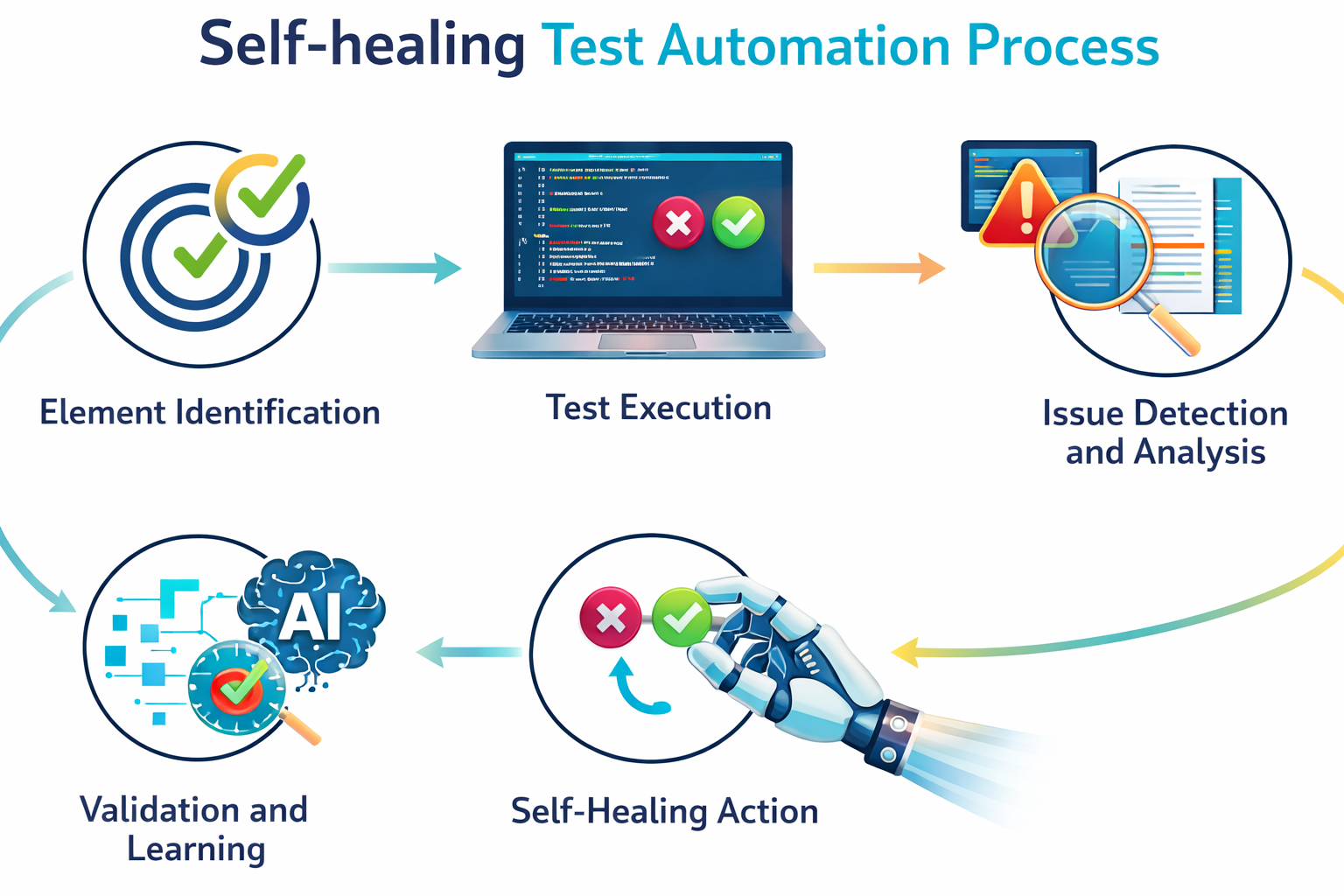
- Element Identification: The self-healing mechanism gathers multiple attributes and contextual information for each UI element, such as Name, CSS Selector, ID, XPath, visible text, relative position, and visual appearance. Through this, it gains a complete understanding of each element, ensuring it can locate those elements later, even if the software undergoes updates.
- Test Execution: The tests in the self-healing test suite run using the primary element identifier.
- Issue Detection and Analysis: In case the primary identifier fails (for example, a button’s ID changes), the system triggers a diagnostic process. It understands the change by analyzing the application’s current UI and comparing it to historical data. Detecting and correcting these errors early saves time spent troubleshooting later.
- Self-Healing Action: The tool uses AI algorithms to follow alternative strategies, such as using a fallback CSS selector or visual recognition, to find the correct element. Once the element is successfully found, the test script is updated with the new locator information for future executions, after human review.
- Validation and Learning: Once the fix is complete, the self-healing mechanism runs a check to verify the test case and ensures it works as intended. If it doesn’t, the mechanism reviews the failure for context and tries alternate solutions. In extreme cases, the issue might be flagged for manual update. Self-healing test automation learns from each correction and keeps improving its ability to predict and address issues.
Self-Healing Test Automation Examples
You will get a better hold of self-healing test automation with the following examples:
E-Commerce (Class Name Change)
Suppose an e-commerce team refactors their CSS, and several button class names change (such as the login button class name changing from Login to Submit). Traditional tests that used .btn-checkout fail. A self-healing tool tries a list of fallbacks such as matching by visible text (“Submit”), ARIA labels, and relative position to the login summary.
The self-healing system locates the button via text match, clicks it, and logs a suggested fix (like "replace the brittle class selector with an attribute or test ID"). The test execution completes, and the team reviews the suggestion and accepts it.
Single Page App (SPA)
A complex SPA generates dynamic element IDs on every load. Tests that rely on those IDs intermittently break. The self-healing automation tool detects instability in ID usage and either starts using stable attributes, such as data-test-id, or combines role and text heuristics. Over time, the test suite learns which attributes are stable and auto-updates the locator registry.
Mobile App (Layout Differences Across Devices)
A mobile app’s login button may change its position between small and large devices. Visual recognition (or ML-based matching) locates the button not by location (absolute coordinates) but by shape and label. If visual recognition is unsure, a fallback strategy finds the “Login” text field and then the associated button nearby.
Limitations of Self-Healing Tools
- Masking Real Defects (False Positives): The tool may “heal” the script to align with a broken application state. In this case, it may report a pass when the functionality actually fails.
- Performance Overhead: The AI/ML algorithms used by these self-healing tools to analyze the application and identify changes in real-time may slow down the test execution.
- Limited Contextual Understanding: Though they can fix locators, self-healing mechanisms lack the “intelligence” to understand complex, interdependent workflow changes.
- Over-reliance and Reduced Debugging: Engineers might rely too much on automated healing and ignore underlying instability in the application. If the tool incorrectly fixes a locator, it can make troubleshooting harder.
- Setup and Maintenance Costs: While daily maintenance is reduced, setting up the self-healing test automation tools often requires significant initial effort and expertise to baseline the application.
- High Costs and Learning Curve: Many of these AI-driven self-healing tools are expensive. Some scriptless tools may have a steep learning curve.
Popular Self-Healing Test Automation Tools
Here are some of the key types of self-healing tools:
| Tool | Description | Examples |
|---|---|---|
| Intent-Based/NLP Autonomous Tools | These tools use Natural Language Processing (NLP) to understand the intention of a test step rather than acting on technical selectors. | testRigor |
| Open Source Test Frameworks | These frameworks are extended via libraries or wrappers. They use built-in selector APIs that you can build tests on top of. | Selenium, Playwright, Cypress |
| AI-driven testing platforms | Use intent-based locators, AI element detection, and smart waits. | Momentic |
| Visual testing tools | Use pixel or visual DOM comparison to validate UI. | Applitools Eyes |
| Hybrid libraries/SDKs | Add self-healing functionality to existing tests. | Healenium, Parasoft Selenic |
Best Practices for Using Self-Healing Tools
- Implement Smart/Hybrid Locators: Do not rely on a single, brittle XPath. Instead, use tools that combine multiple locator strategies (e.g., CSS, ID, XPath, ARIA, and visual AI).
- Prioritize High-Change Areas: Focus on areas that have frequent UI updates, high churn rates, or critical functionality to maximize the return on investment.
- Establish Human-in-the-Loop Oversight: Always monitor and review healed scripts to ensure they are aligned with business logic.
- Integrate with CI/CD Pipelines: Embed self-healing mechanisms directly into CI/CD workflows to enable seamless testing and faster feedback loops.
- Use Historical Data: Analyze past test executions using AI/ML so that you learn from previous failures to make future healing more efficient.
- Define Clear Requirements: Before implementing self-healing test automation, set clear goals detailing what the self-healing system should accomplish and establish robust monitoring systems (e.g., Prometheus) to track its effectiveness.
- Adopt Redundancy and Decoupling: Enable automatic failover and recovery of infrastructure by using containerization (e.g., Docker/Kubernetes) and creating redundant systems (multi-cloud).
Future of Self-Healing Test Automation
- Autonomous testing systems
- Natural language-based test creation
- Integration with generative AI
- Predictive defect detection
As AI continues to evolve, self-healing tools will become more reliable, accurate, and essential in modern QA strategies.
Conclusion
Self-healing test automation tools represent a significant advancement in software testing. Teams can keep pace with fast-moving development cycles using these tools, which reduce maintenance effort and increase test resilience.
But remember, they are not a replacement for good testing practices. Instead, they should act as a powerful complement to well-designed automation strategies.
Organizations that adopt self-healing tools effectively can achieve faster releases, higher quality software, and improved productivity, making them a valuable investment in today’s competitive landscape.
Frequently Asked Questions (FAQs)
- How do self-healing tools identify changed elements?
Self-healing tools employ techniques like multiple locator strategies, DOM comparison, machine learning models, and historical execution data to find the best match for updated elements.
- Do self-healing tools completely eliminate test maintenance?
No, they don’t. However, they significantly reduce maintenance effort. Human oversight is still needed for validating changes and ensuring test accuracy.
- Are self-healing tools only useful for UI testing?
Primarily, yes. As of now, most self-healing capabilities focus on UI-level changes, though some tools are expanding into API and end-to-end testing scenarios.
- Can self-healing tools produce incorrect results?
Yes, absolutely. In some cases, they may misidentify elements, leading to false positives or inaccurate test outcomes. This is why validation and monitoring are important.
- Are self-healing tools compatible with Selenium?
Yes, many self-healing solutions (like Healenium) are built on top of Selenium and integrate seamlessly with existing frameworks.
- Is self-healing suitable for all types of applications?
You cannot say that for sure. It works best for dynamic web applications with frequent UI changes. Its effectiveness may vary depending on application complexity and structure.